- 100% Drupal
- French · German · English · Italian
- Open source
POS, the till and stock of your shop, built on Drupal
Take payments on your phone, track stock batch by batch, never sell an expired product and, if you wish, open an online shop: a single tool for the counter and the back office.
Built on Drupal only
Drupal is free, mature and actively maintained software. POS only uses Drupal core: no third-party extension to monitor, Drupal security updates apply directly, and the code is open, so your IT team can audit it.
If you already use Drupal, POS installs as a module and a theme on your site. Otherwise, we prepare the installation with you.
Everything a small shop needs every day
Nine tools, one account, one page.
-
Till
Instant search, favourites, categories, basket, discount and receipt, right on your phone.
-
Barcodes
Scan with the phone camera or with a USB or Bluetooth scanner.
-
Expiry dates
Alerts before the date, one-tap removal, no expired batch ever sold.
-
Batch stock
Receipts by batch, stock-take, losses and breakage, with a full movement log.
-
Receipts and VAT
Prices incl. VAT in CHF, adjustable VAT rates and a VAT breakdown on every receipt.
-
Payments
Cash with change due and rounding to 5 centimes, card, TWINT or other.
-
Reports
Daily sales, VAT by rate, payment methods, top products and losses, exportable to CSV.
-
CSV import
Bring your catalogue and batches in from a file, fully checked before anything is written.
-
Online shop
Optional: a storefront in your colours that shares the till’s stock.
The features in detail
Phone till
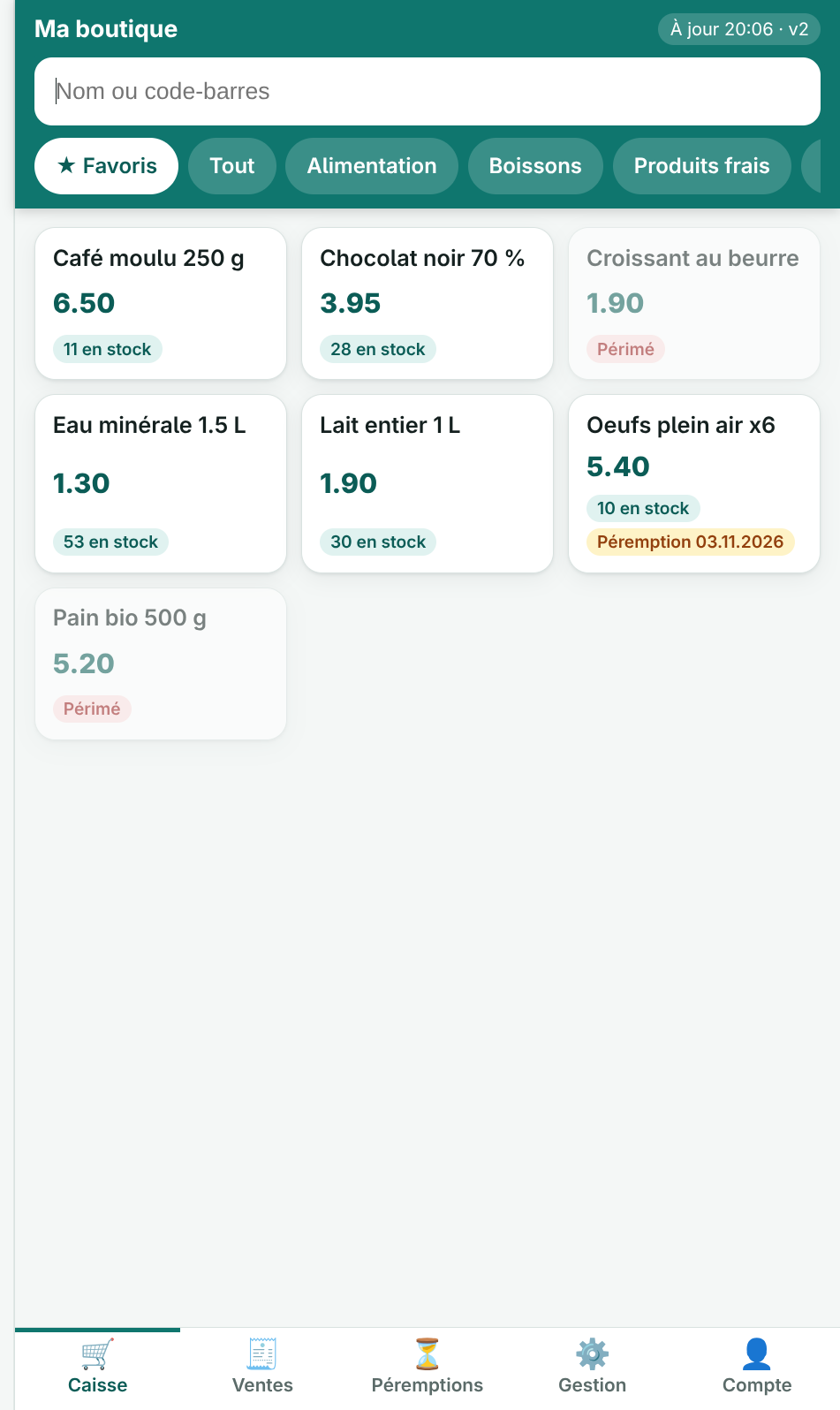
A till that fits in your pocket and installs on the home screen.
- Catalogue loaded on the phone: instant search, favourites and categories
- Barcode scanning with the camera (Chrome on Android, over HTTPS) or with a scanner
- Discount in % or CHF, capped by the manager
- Cash with change due and rounding, card, TWINT or other
- Printable receipt, today’s sales, sale cancellation by the management
Stock and expiry dates
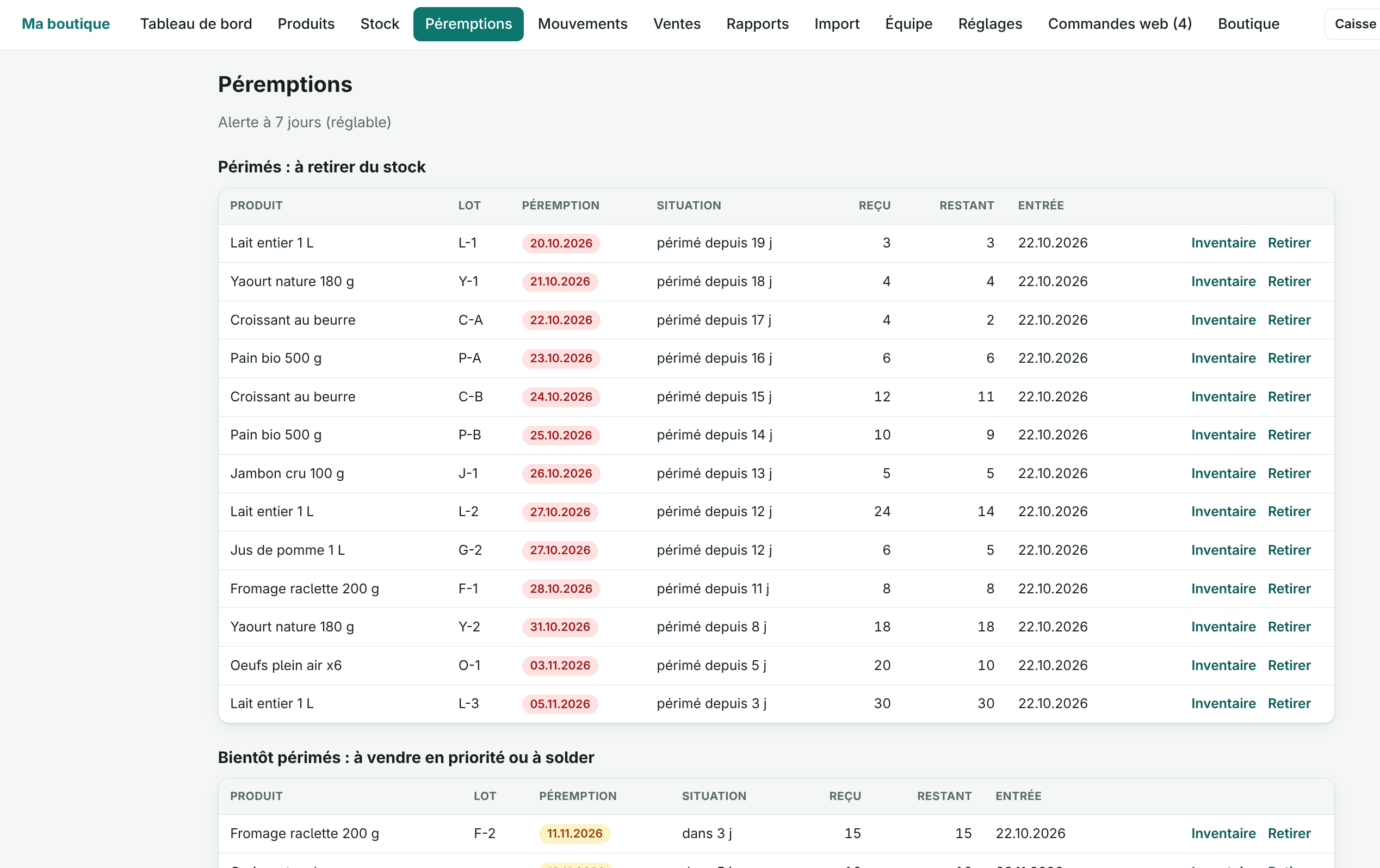
Know what is left and what is about to expire.
- A batch is a product, a batch number and an expiry date
- Sales always take the batch that expires first
- An expired batch is never sold: the server refuses it, whatever the screen
- Alerts N days ahead (adjustable) and a daily e-mail summary
- Removal in one tap: expired, breakage, loss or theft
Receipts, VAT and reports
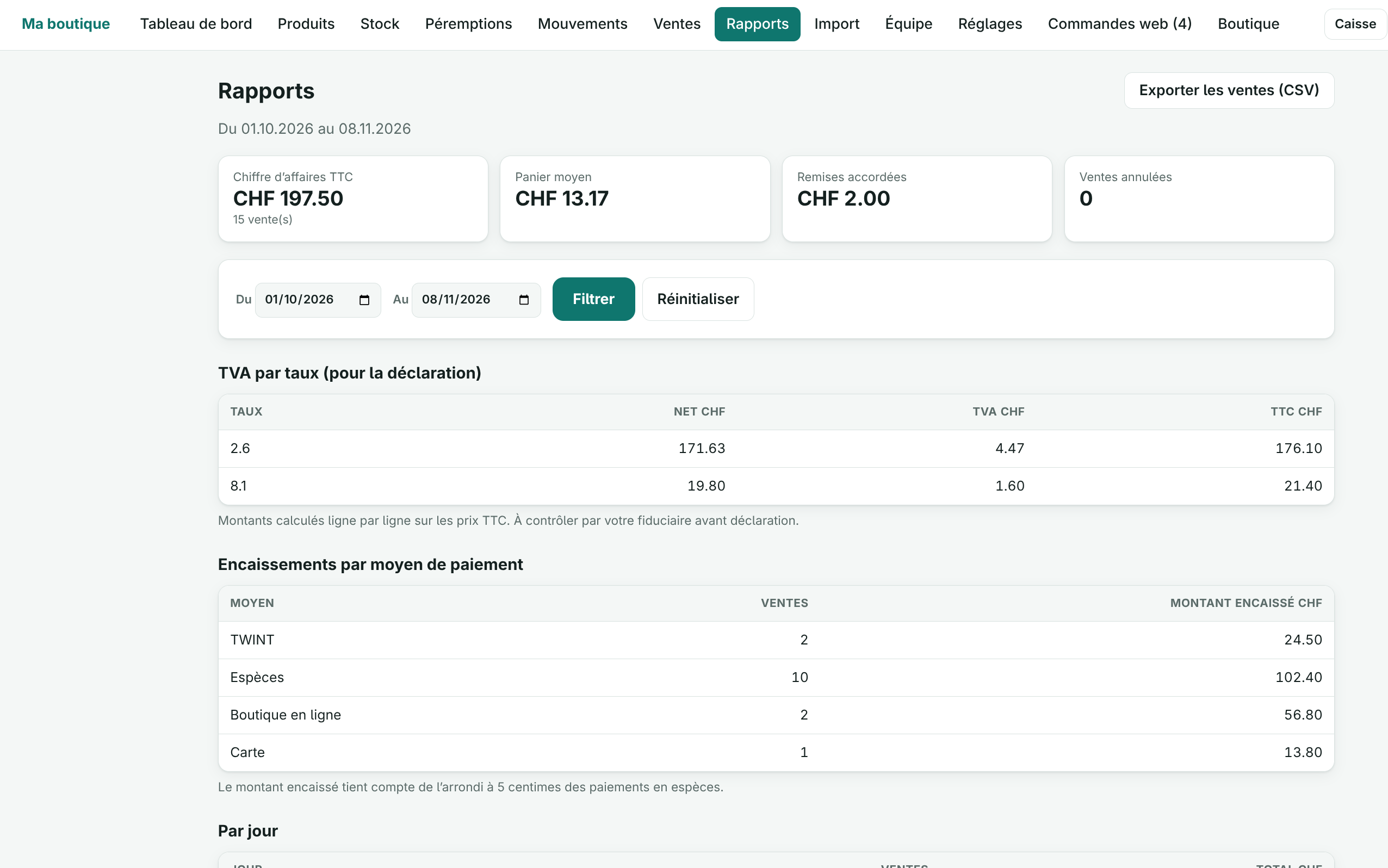
The figures your accountant needs, without re-keying.
- Prices entered incl. VAT in CHF, configurable VAT rates (8.1%, 2.6%, 0% to start with)
- Receipt with a VAT breakdown by rate, sale number and a custom footer
- Reports: VAT by rate, payment methods, top products, losses
- CSV export protected against formula injection
- The VAT rates offered at the start should be checked with your accountant
Back office on a computer
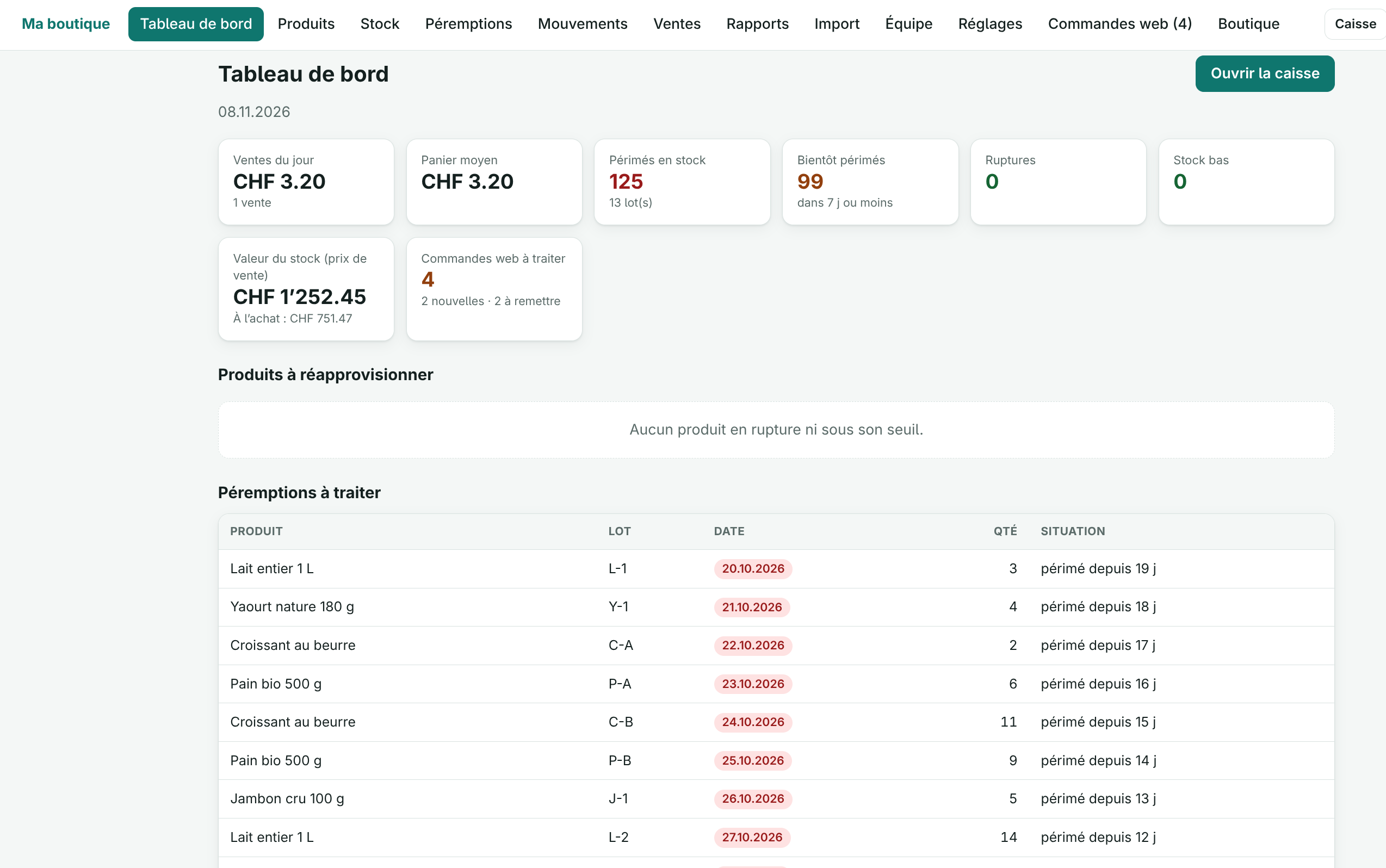
The manager’s dashboard, products and stock.
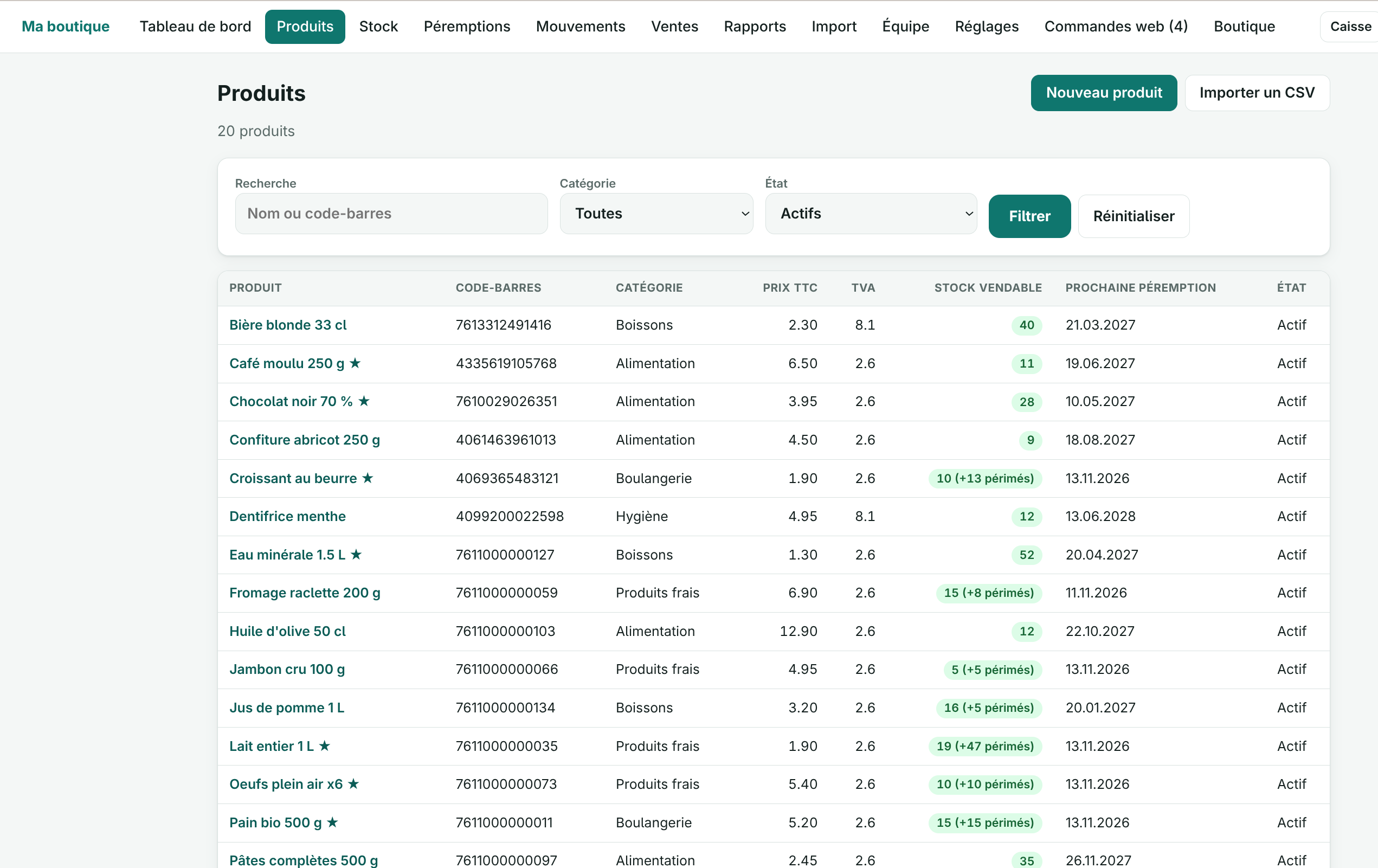
- Dashboard: today’s sales, stock-outs, low stock, expired items, stock value
- Products with purchase price, alert threshold, favourites and categories
- Stock receipts by batch, stock-take and movement log
- CSV import of products and batches, fully checked before anything is written
Online shop (option)
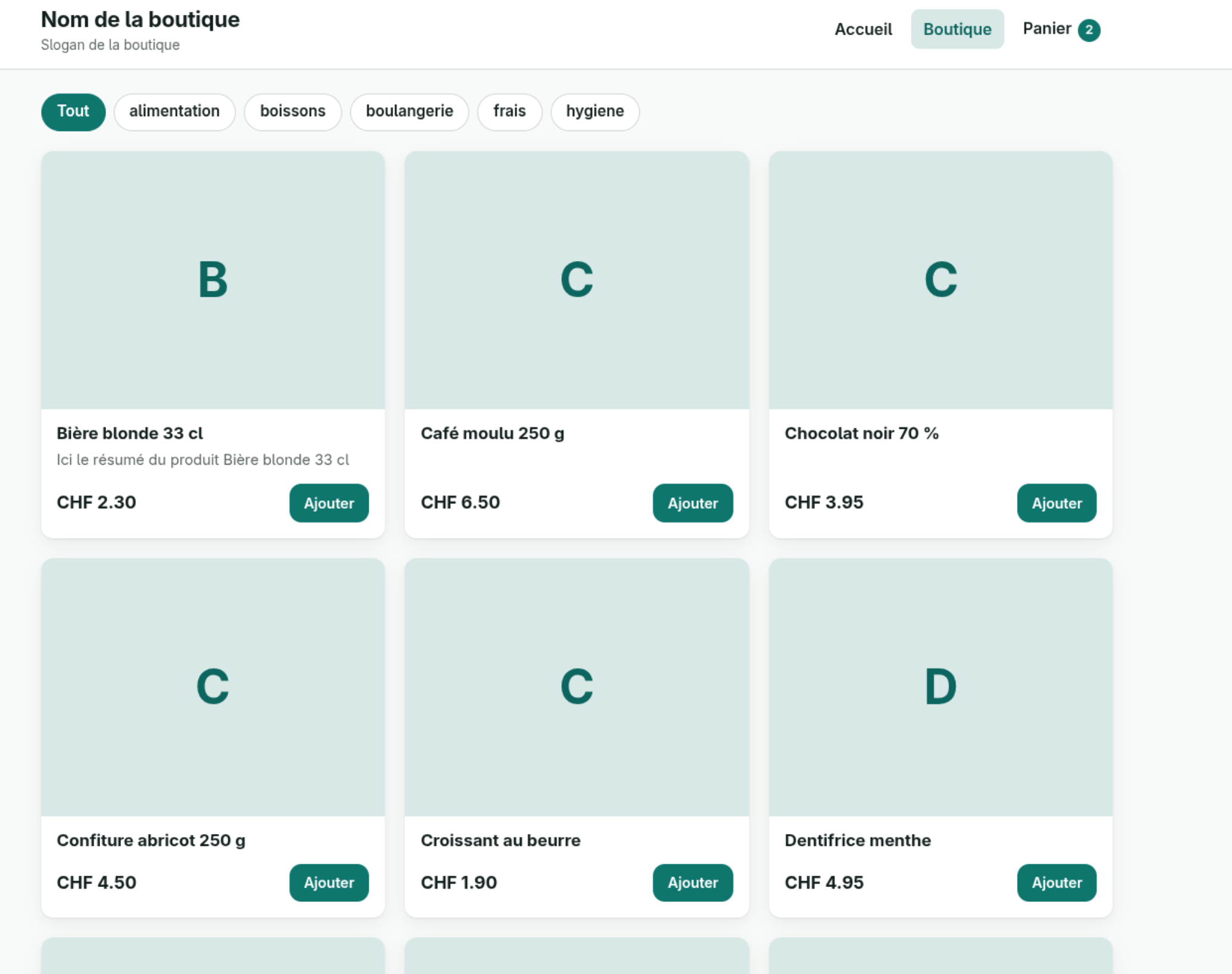
A storefront in your colours, with the same stock as the till.
- Products from the till published online, with photo, summary and description
- Six starter templates, adjustable colours, font and layout, live preview
- Pick-up in store or delivery, payment on site, by bank transfer or on invoice
- Shared stock: an item sold at the counter is no longer sellable online, and vice versa
- Order tracking by e-mail, orders handled in the same back office as the till
- Paid option, activated by a licence key tied to your domain
Team and languages
Everyone sees what they need, in the language of the shop.
- Cashier and manager roles: a cashier sees neither the reports nor the settings
- Accounts created by the manager, no open registration and no access to the Drupal administration
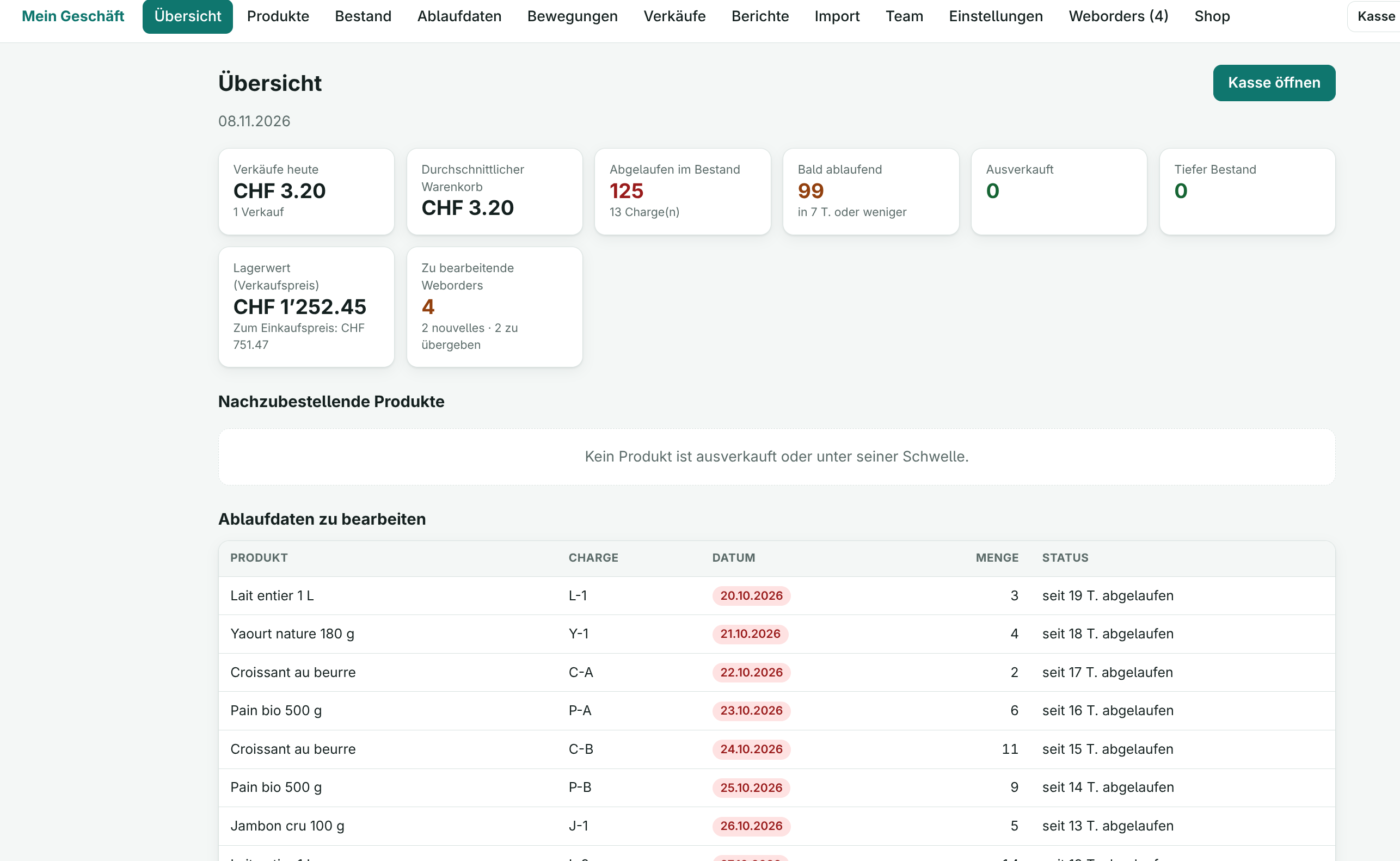
- French, German, English or Italian for the whole site: till, receipts, e-mails and shop
- Automatic light or dark theme, large buttons for touch
Reliable payments, your data stays with you
Hosting and compliance with the Swiss FADP remain your responsibility; POS provides the tools.
-
Open source and Drupal
Open code, built on Drupal core and auditable by your team.
-
Your data with you
POS installs on the hosting of your choice, in Switzerland if you wish.
-
Prices re-read by the server
The phone never sends prices: the server re-reads price, VAT, stock and batches within a transaction.
-
No double charging
A basket identifier prevents charging twice after a network drop or a double tap.
Simple pricing
17 CHF / month
All the features of POS: phone till, batch stock, expiry dates, receipts, VAT and reports.
- All the features of POS
- Phone till and back office on a computer
- Interface in French, German, English and Italian
- Online shop: separate paid option, activated by licence
Frequently asked questions
Do I need to install software?
No. POS works in the browser, on phone, tablet and computer. The till can be added to the phone’s home screen like an app.
What happens without an internet connection?
There is no offline mode: without a network the till shows “Offline” and does not take payments. The current basket is kept.
Are card and TWINT payments integrated?
No: POS records the payment method chosen but is not connected to a payment terminal. You take the payment on your usual terminal, then record the sale.
How are expiry dates handled?
Each stock receipt has a batch number and a date. Sales take the batch that expires first, and an expired batch is never sold. You get alerts before the date and a daily e-mail summary.
Can I sell by weight?
Not in this version: quantities are whole numbers (pieces). Partial returns are not handled either: you cancel the whole sale.
How does the online shop work?
It is a paid option, activated by a licence key tied to your domain. Customers order for pick-up or delivery and pay on site, by bank transfer or on invoice; online payment by card or TWINT is not offered yet. The stock is the till’s stock.
Can I use POS in German, English or Italian?
Yes. A single setting changes the language of the whole site: till, back office, receipts, e-mails and online shop. The names you enter (products, suppliers) are not translated.
How do I get started?
Write to us at support@swissopensource.ch: we show you POS with sample data and prepare the installation with you.